
MCP 系统
DriFox 支持通过 Model Context Protocol (MCP) 扩展 AI 工具能力, 可连接任意 MCP Server 并直接调用其提供的工具。
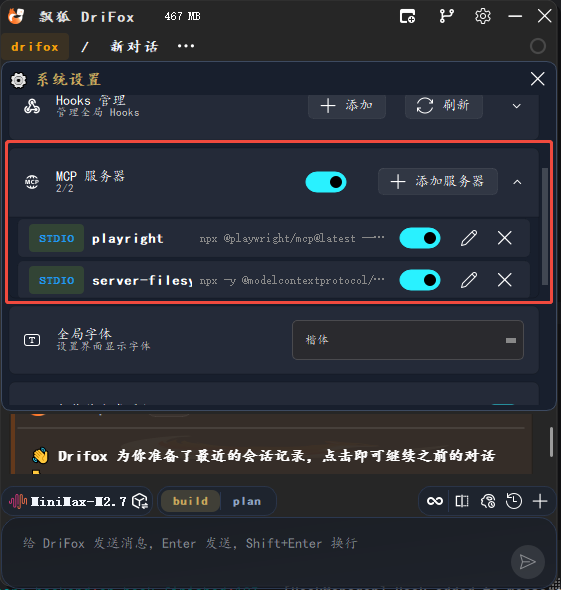
支持的服务器类型
类型 |
说明 |
|---|---|
stdio |
通过标准输入/输出通信,适用于本地命令行工具 |
sse |
通过 Server-Sent Events 通信,适用于 HTTP 服务器 |
http |
通过 Streamable HTTP 通信,适用于现代 MCP HTTP 端点 |
工具使用
配置好 MCP Server 后,工具自动出现在 AI 的可用工具列表中
MCP 工具名格式:
mcp__{server_name}__{tool_name}连接/断开服务器无需重启,配置变更即时生效
多窗口共享同一个 MCP 连接池
常用 MCP Server
# 文件系统
npx -y @modelcontextprotocol/server-filesystem /path/to/directory

# GitHub API
npx -y @modelcontextprotocol/server-github

# Playwright 浏览器自动化
npx -y @modelcontextprotocol/server-playwright

# PostgreSQL 数据库
npx -y @modelcontextprotocol/server-postgres postgresql://localhost/mydb

# Google Maps
npx -y @modelcontextprotocol/server-google-maps
权限控制
所有 MCP 工具默认需要用户确认(ask),可在设置中调整权限规则。